HD options not working in Remastered version

Hello,

I tried to find the solution for my issue, but regardless of the source of the solution (Battle net FAQ lists, forums or 3rd party help from other users), I cannot deal with it.

I bought StarCraft Remastered a years ago and didn`t played it since.

Today, I wished to enjoy the gem once again, only to find that game launches for me only in non-HD (legacy) mode, with all the HD options grayed out. I tried to restart, I checked if I`m logged in with certain account (my wife and I both have battle.net account) and I am, both in updated client app and in the game itself (I knew this could make an issue, if the other account didn`t buy the game, so I double checked). I also tried in-game switch with F5, but without any luck.

The game looks rather ugly on 27" screen with QHD resolution, so it`s really important for me to get the proper graphics. After all, I paid for it.

Following the suggestion of the “support” team which acted totally ignorant about the issue (not to mention the solution for it), I decided to create a topic here.

So:

1. I can’t check HD graphics option, because that option, along with all the others which makes graphics better, are grayed out, so they can’t be clicked, at all.

2. F5 doesn’t do anything, as I already wrote above.

3. I’m logged on my very own account, and my region is set on Serbia (as it should). Support suggested that I should try to switch region (What I’m supposed to change in that regard, other than the country I live in?), but I didn’t do it, because it sounds pointless.

4. Game is already updated and even reinstalled in all the attempts to solve the problem.

“Support” team suggested that I can write a bug report and provided me link to this very forum.

So, can I get a help with this, please? Anyone?

Best regards,

Dragan

Point 3 is probably why it isnt working. There is problems with the launcher for SC where it doesnt validate the game like its supposed to:

In the bnet launcher, go to starcraft. Just above the play button/“settings” cog icon there should be a globe icon. Click the globe icon and set it to “americas”. You can still select whatever battle.net server you want in game. Let me know if this worked

1 Like

Nope.

Still the same. It even offers me to BUY StarCraft Remastered on main options screen, like I’m not owning one!

Whatever I set in regions (Asia, Americas and back to Europe), the result is the same - SD only with HD options grayed out.

This wasn’t the case back in the days when I bought SC:Remastered. It’s really frustrating. :angry:

This is the problem, your game isnt validating for whatever reason. Double check the game is in your purchase history. Might have to send another support ticket to them. Best of luck

1 Like

Yes, it definitely is. I have it on the list of purchased games in my account. I have a screenshot too, but I can’t see no option to attach an image to show you.

It came up to my mind that somehow the game doesn’t see that I own the remaster, but the account logged into the game is the same one I double checked for purchase.

I dunno, I’m tired of this. :anguished_face:

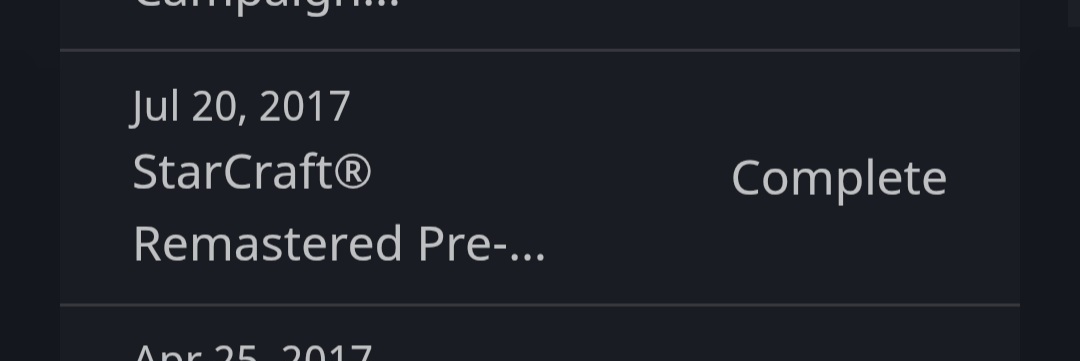
The SCR entry in your “Games and Subscriptions” list in your account isn’t the result of a purchase. It appears just by installing and clicking Play the first time. So seeing it there doesn’t mean the same account will have Remastered in the game.

In these instances, it’s most often the result of multiple Bnet accounts. You’ll have to cycle through all your accounts until you find the one that has the purchased SCR license.

If you do this in game, just look for the one that switches modes when pressing F5. If you do this online, you have to use your “Transaction History” to locate the SCR license (not the game list).

For example:

For a screenshot, paste the URL, highlight it, and use the “Preformatted text” formatting on it. It should display like this:

www.google.com

This topic was automatically closed 30 days after the last reply. New replies are no longer allowed.